Questions and postings pertaining to the usage of ImageMagick regardless of the interface. This includes the command-line utilities, as well as the C and C++ APIs. Usage questions are like "How do I use ImageMagick to create drop shadows?".
Marcel71
Posts: 49 Joined: 2011-04-13T13:57:34-07:00Authentication code: 8675308
Contact:
Post
by Marcel71 2019-09-29T11:08:02-07:00
Hi,
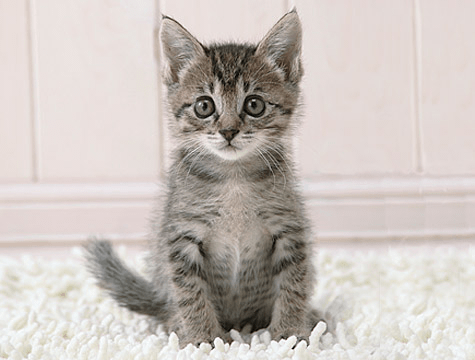
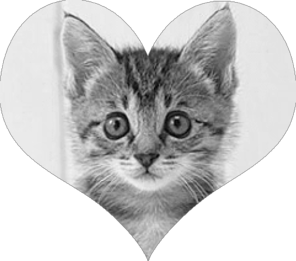
When I do the following command, my original image turns gray and it leaves a small gray border around the heart. Anybody know how to make a different command so it will work?
Code: Select all
magick heart.png -resize 296x261! -channel RGBA -blur 0x0 -draw "image Out -135,-6 584,443 'kitty.png' " -trim +repage out.png
heart.png:
kitty.png
result:
My IM Version:
Version: ImageMagick 7.0.8-66 Q16 x86_64 2019-09-29
https://imagemagick.org
Copyright: © 1999-2019 ImageMagick Studio LLC
License:
https://imagemagick.org/script/license.php
Features: Cipher DPC HDRI
Delegates (built-in): bzlib djvu fftw fontconfig freetype jbig jng jpeg lcms lqr ltdl lzma openexr pangocairo png tiff wmf x xml zlib
Thanks,
Marcel
fmw42
Posts: 25562 Joined: 2007-07-02T17:14:51-07:00Authentication code: 1152Location: Sunnyvale, California, USA
Contact:
Post
by fmw42 2019-09-29T11:43:57-07:00
You can do that as follows by anti-aliasing the mask with some blurring. This is Unix syntax. You did not identify your platform.
Code: Select all
convert kitty.png \
\( heart.png -alpha extract -negate -blur 0x1 -level 50x100% \) \
-alpha off -gravity center -compose copy_opacity -composite \
kitty_masked.png
Increase the blur 0x2 if you need more smoothing.
Users browsing this forum: Semrush [Bot] and 1 guest