Questions and postings pertaining to the usage of ImageMagick regardless of the interface. This includes the command-line utilities, as well as the C and C++ APIs. Usage questions are like "How do I use ImageMagick to create drop shadows?".
I want to split any image into 64x64 tiles and then i need to join the tiles together to form the original image again.
The following from the docs work but how can i get the correct values for -tile parameter automatically.I intend to do this in a bash script later.
Thanks a lot for your fast reply guys.
@snibgo
If i modify the image in some way , like a compression for example , then i will lose the offset.I want to be able to rejoin the tiles together later on irrespective of the manipulation i make with the image.
What command are you using to modify the image? What format are you saving the new output. Only some formats store the virtual canvas offsets, PNG, TIFF, MIFF, GIF. JPG does not. So if you are trying to change compression and saving as JPG, then it won't go back together. If you want to do that and have the reconstructed image as JPG, then save all your intermediate images as .miff
Please post your full set of commands so we can see what you are trying to do. The virtual canvas offsets should be saved If you are not distorting the image and just doing compression changes.
khavish wrote:If i modify the image in some way , like a compression for example , then i will lose the offset.
GIF is compressed. Worse, the compression is lossy, in the sense that it uses only 256 colours. If your input image has only 256 colours, that's not a problem.
What processing are you doing to the tiles? Perhaps you don't need to save them as files at all, but can do the whole job in a single command.
Once you have jpg files, you lose the virtual offset. If you save the virtual offsets in the filenames, then you would have to parse the filenames and use -set page +X+Y with each input jpg to put them back into the correct place. So for example:
I will leave it to you to label the jpg images with the offset and to parse the names to get the offsets to use with -set page.
But if all you want to do is change the compression, you might as well just do that on the final output, keeping the intermediates in GIF or PNG or TIFF or MIFF.
@snibgo
GNU parallel helps to make use of all cores.
Here is the situation.
Guetzli is very slow JPEG decoder
I am trying to split a PNG into small tiles and then convert them to JPEG with Guetzli.Then i want to join the JPEG tiles together to get the full JPEG compressed image.Small images are ok for guetzli to process
I am aware that JPEG is lossy but am supposing that the merge here is just arranging the tiles next to each other so it shouldn't be too bad.I will use psychovisual methods to check the loss of quality later.
-For cropping and saving offsets parts
1.I could just count the number of images produced to know the value for the loop . Is there a cool one liner way to do it just after the convert
-For merge process
2.I need minimum quality loss while merging the JPEG tiles.Is convert -quality 100% the optimum way here or montage would be better as we just need to snitch the JPEG tiles together here
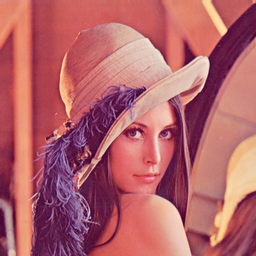
Basically i want a lena_new.jpg that is as close as
2) Montage will also degrade the quality. Adding -quality 100 will still change the quality.
If you name your files in the correct order with leading zeros, then you can simply montage them if you know the tile arrangement. But that would only work easily if the image is square. That way you can take sqrt(num) for the number of row and columns in -tile RxC.
Or you could precompute how many rows and columns you will get by dividing the input dimensions by your crop dimensions. Then you could just montage with -tile RxC.
Or you could use my script, overlay-crop, with zero overlap and label them in matrix format. Then parse the labels of the last image to find how many rows and column. Then use montage to combine together again. See my scripts at my link below.
P.S. If you, say, use -quality 80 to make the jpg images, then if you add -quality 100, you will get as close visual quality as you had before, but the file size will increase dramatically. So you probably want to make the new combined result have a similar or slightly larger quality than 80, but not 100. Each time you compress and decompress with JPG, you lose some visual quality. You cannot get that back. You would be better keeping your intermediate images in non-lossy compressed form, such as tif with lzw compression or png.