I would like to find out how to make each pixel neighbouring red pixel also red. Or any other way to make this route more visible.
Small example picture:
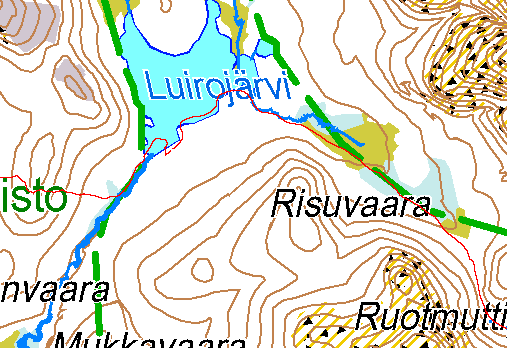
Thanks for any hints.
Code: Select all
convert ^
  mapRedPath.png ^
  ( +clone ^
    -fill Black +opaque Red ^
    -fill White -opaque Red ^
    -morphology dilate disk:1 ^
    -transparent black ^
    -fill Red -opaque White ^
  ) ^
  -compose Over -composite ^
  m.png
Users browsing this forum: Bing [Bot] and 2 guests